An image pyramid is a collection of the same image at progressively lower resolutions, stacked like a pyramid: full size at the bottom, each level above it smaller. It is the standard data structure for analysing an image at multiple scales, because an object, edge or texture that is too big for a fixed-size window at one level fits comfortably at another.
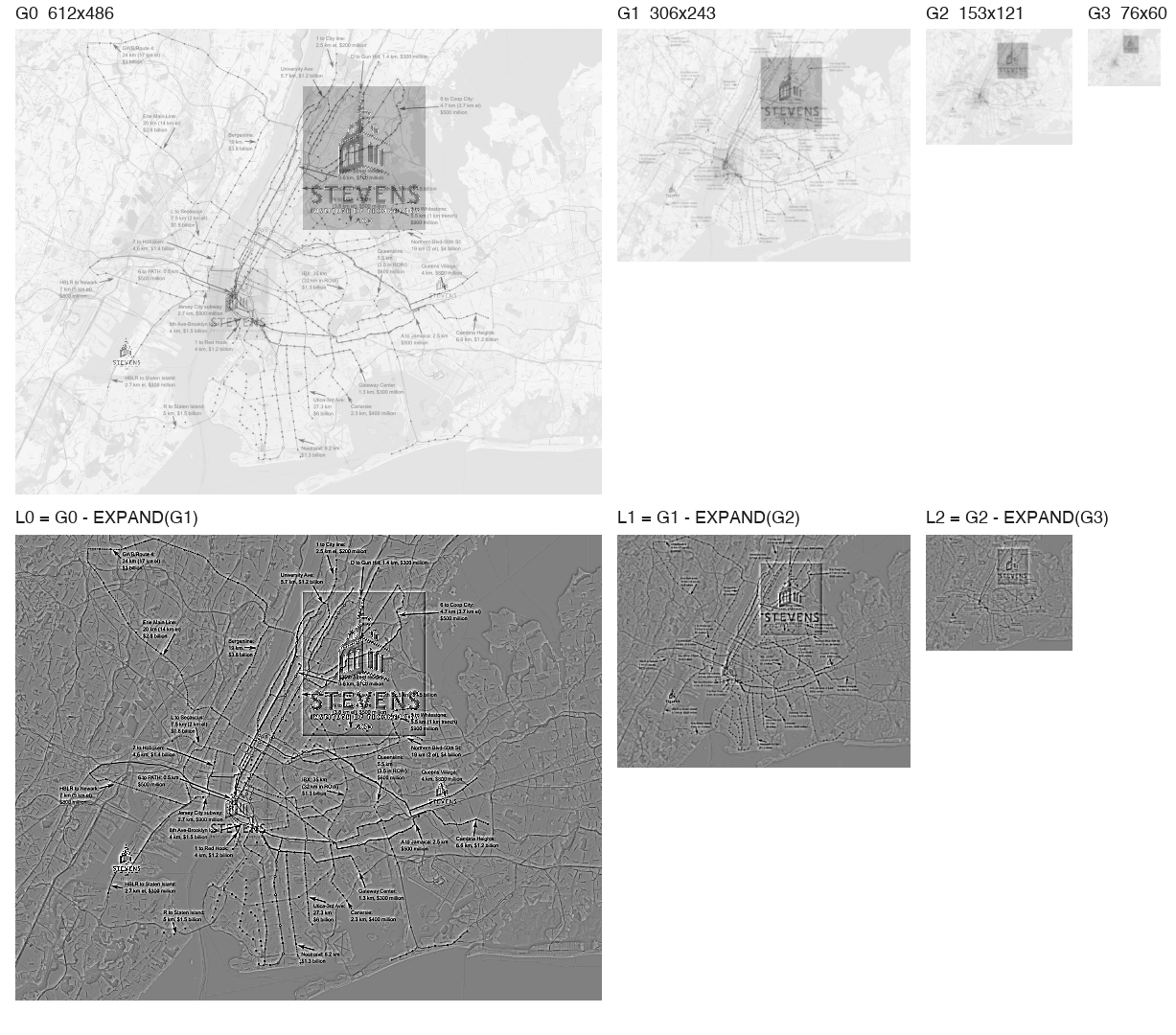
Top row: a Gaussian pyramid of a sample map image (each level is half the width and height). Bottom row: the Laplacian levels, which keep only the detail lost between neighbouring Gaussian levels (contrast boosted 4x).
Gaussian Pyramid
Build each level by blurring the previous one and then keeping every second pixel:
flowchart TD
    L0["G0: full resolution"] -->|"REDUCE: blur, keep every 2nd pixel"| L1["G1: 1/2 width and height"]
    L1 -->|REDUCE| L2["G2: 1/4"]
    L2 -->|REDUCE| L3["G3: 1/8"]
- The blur must come first to prevent aliasing (Aliasing and Downsampling). Burt and Adelson used a small separable 5-tap binomial kernel, , a close approximation of a Gaussian (Gaussian Filtering and Convolution).
- Storage is cheap. Each level has a quarter of the pixels of the one below, so the whole pyramid costs of the original image.
- The opposite operation, EXPAND, upsamples by 2 and interpolates (Image Interpolation) to fill the new pixels.
Laplacian Pyramid
A Laplacian pyramid stores what each Gaussian level has that the next coarser level lacks:
Each is a band-pass image: mostly zeros with detail at one scale (edges and texture), which makes it highly compressible. The image can be rebuilt exactly by working back down: . Burt and Adelson introduced it in 1983 as a compact image code.
| Gaussian pyramid | Laplacian pyramid | |
|---|---|---|
| Each level holds | A blurred, smaller copy of the image | The detail between two Gaussian levels |
| Looks like | A low-resolution photo | Edges on a grey background |
| Typical use | Multi-scale search, coarse-to-fine | Compression, blending, detail enhancement |
What Pyramids Are Used For
- Searching at multiple scales: a fixed-size template or detector can find a target that appears larger, because some level shrinks it to the template’s size (Multi-Scale Template Matching). Sliding-window face and object detectors work the same way.
- Coarse-to-fine search: match at a low resolution first, then refine only near the match at higher resolutions. A full-resolution search covers a small region instead of the whole image, which cuts the cost of Template Matching.
- Optical flow and image registration: large motions look small at coarse levels, so estimate them there and refine downward.
- Blending: blend two images level by level in a Laplacian pyramid to hide seams (the classic “apple-orange” mosaic).
- Feature detection: SIFT looks for keypoints across a scale space built from progressively blurred images, grouped into octaves of the same kind of halving.
Single-Blur Shortcut vs. a True Pyramid
A common shortcut in multi-scale matching is to blur once (say ) and then subsample that same blurred image by 2 and by 4 ([::2, ::2] and [::4, ::4]), as in Multi-Scale Template Matching. This is pyramid-like but not a textbook Gaussian pyramid. A true pyramid blurs again at each level, so the 4x level gets more total smoothing. That is why is arguably small for the 4x step.
Sources: Foundations of Computer Vision, ch. 23: Image Pyramids, which builds each level with the fourth binomial filter and shows the Laplacian pyramid is invertible when the low-pass residual is kept; Burt and Adelson, The Laplacian Pyramid as a Compact Image Code (1983); background in Szeliski, Computer Vision: Algorithms and Applications, ch. 3. The 4/3 storage figure follows from the geometric series.
Related: Computer Vision MOC, Gaussian Filtering and Convolution, Aliasing and Downsampling, Multi-Scale Template Matching